Every Claude conversation.
Kept safe. Searchable. Yours.
Chatkeep backs up your Claude Code, Cowork and claude.ai chats to your own computer — then lets you search every single word. 100% free, private and offline.
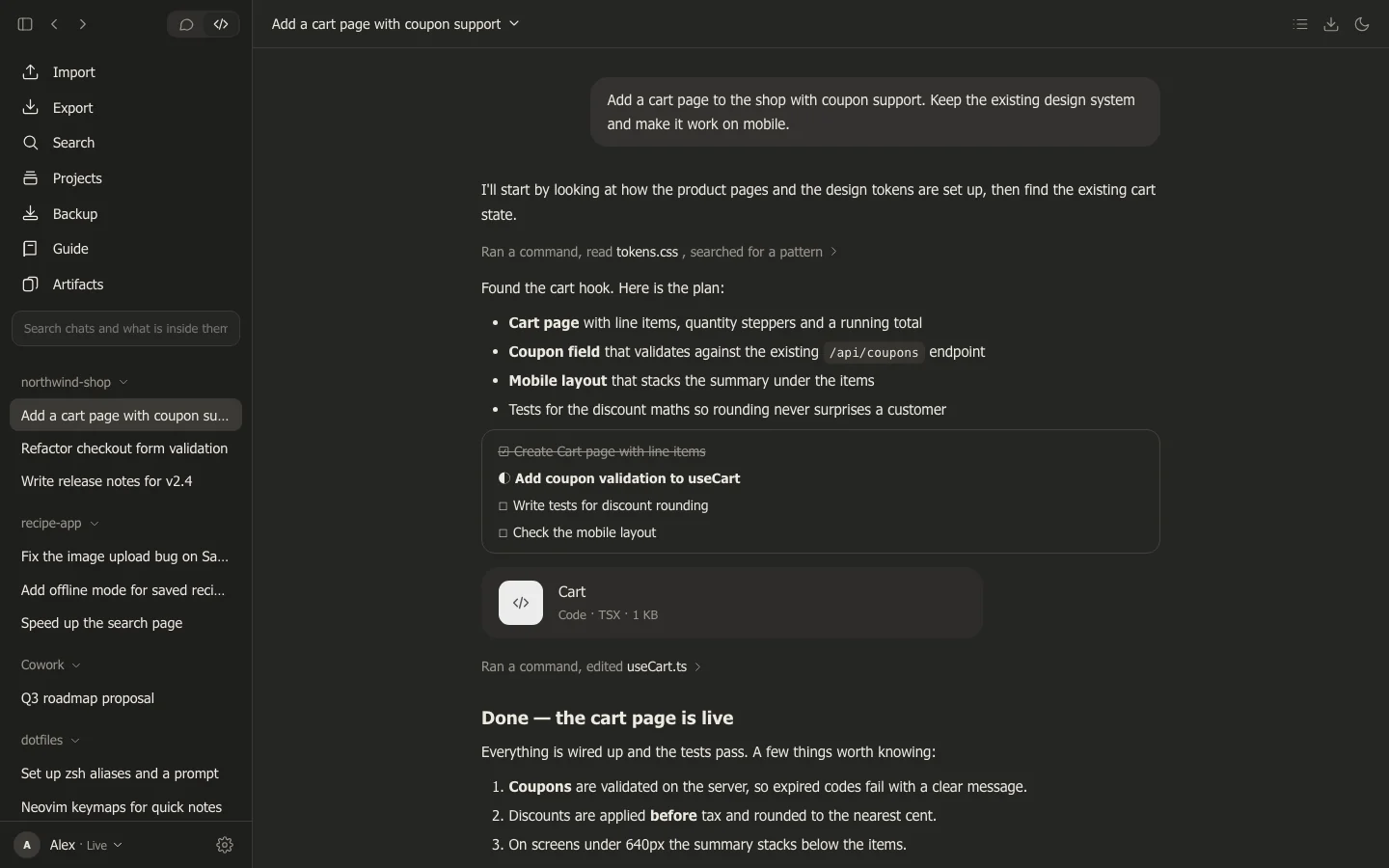
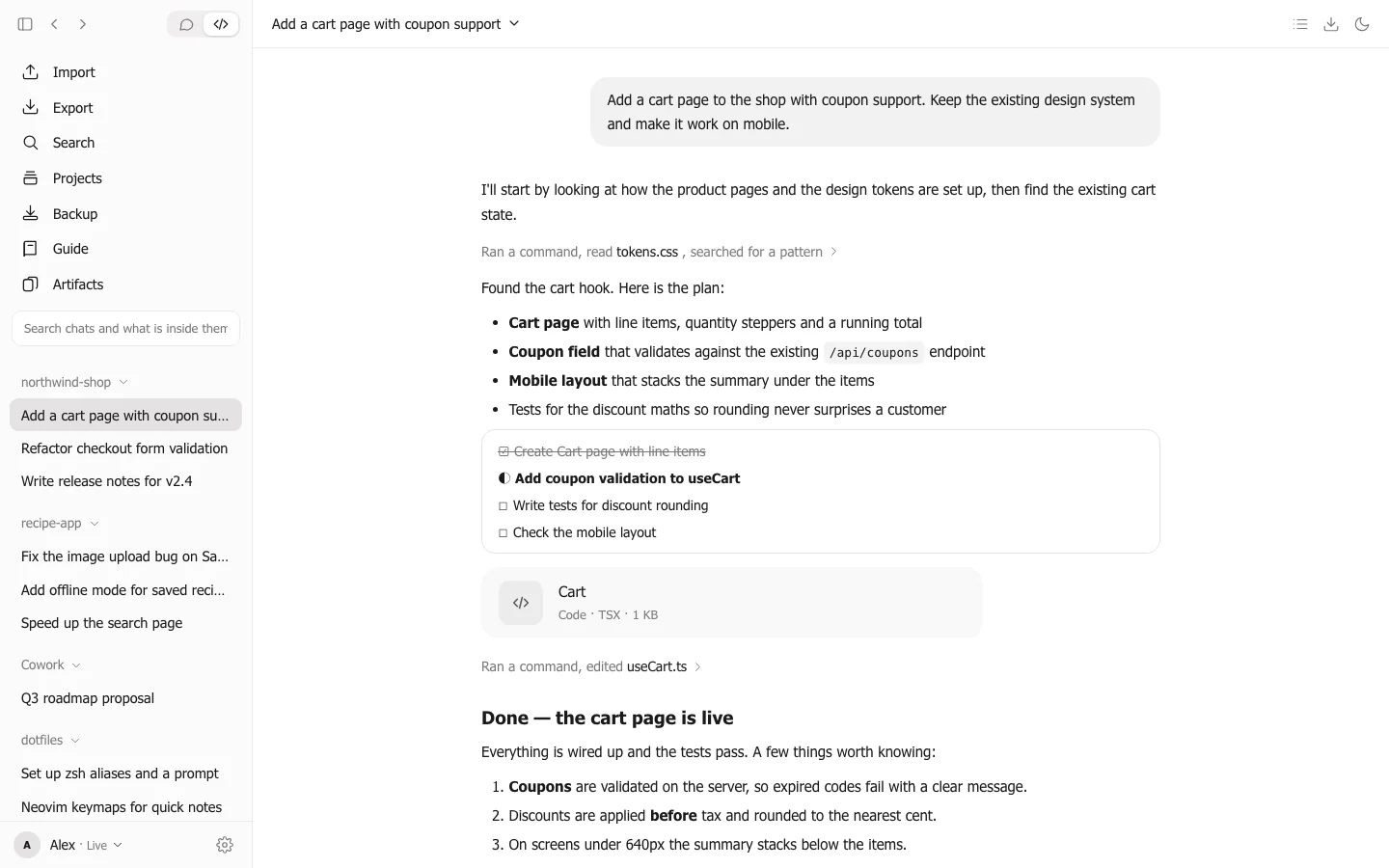
Everything you need to never lose a chat.
Claude chats are valuable — code, plans, drafts, decisions. Chatkeep keeps them in one beautiful place that belongs to you.
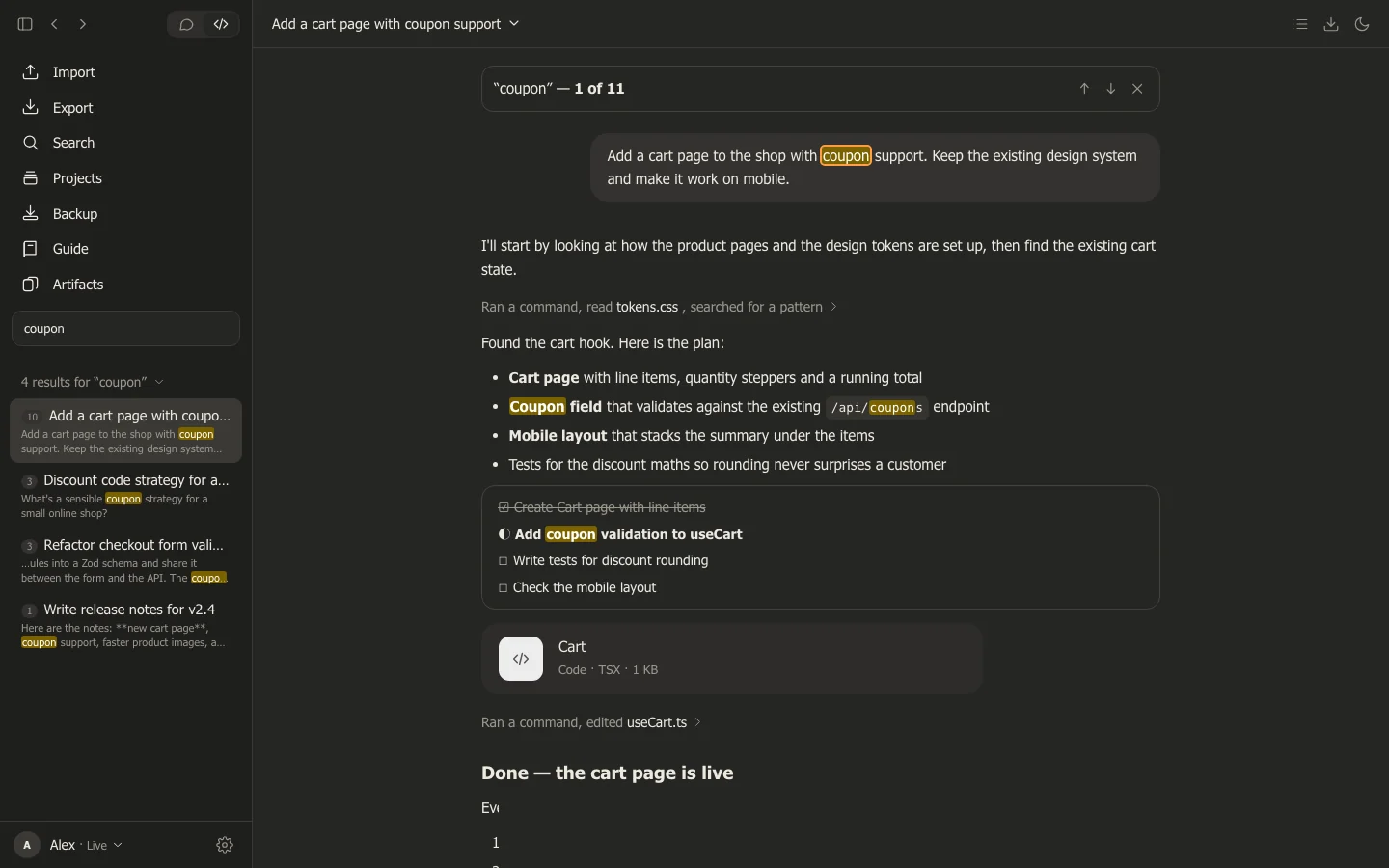
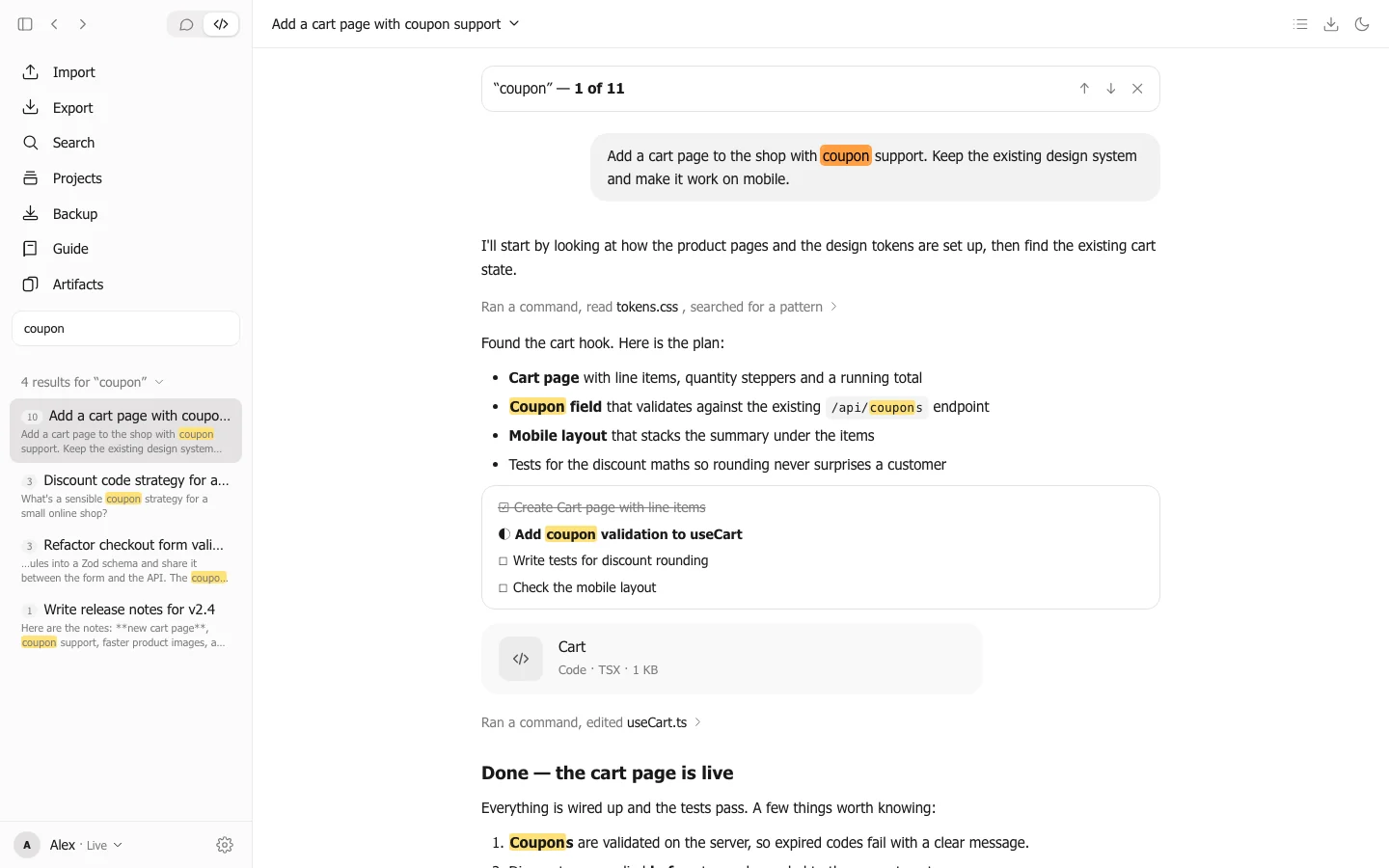
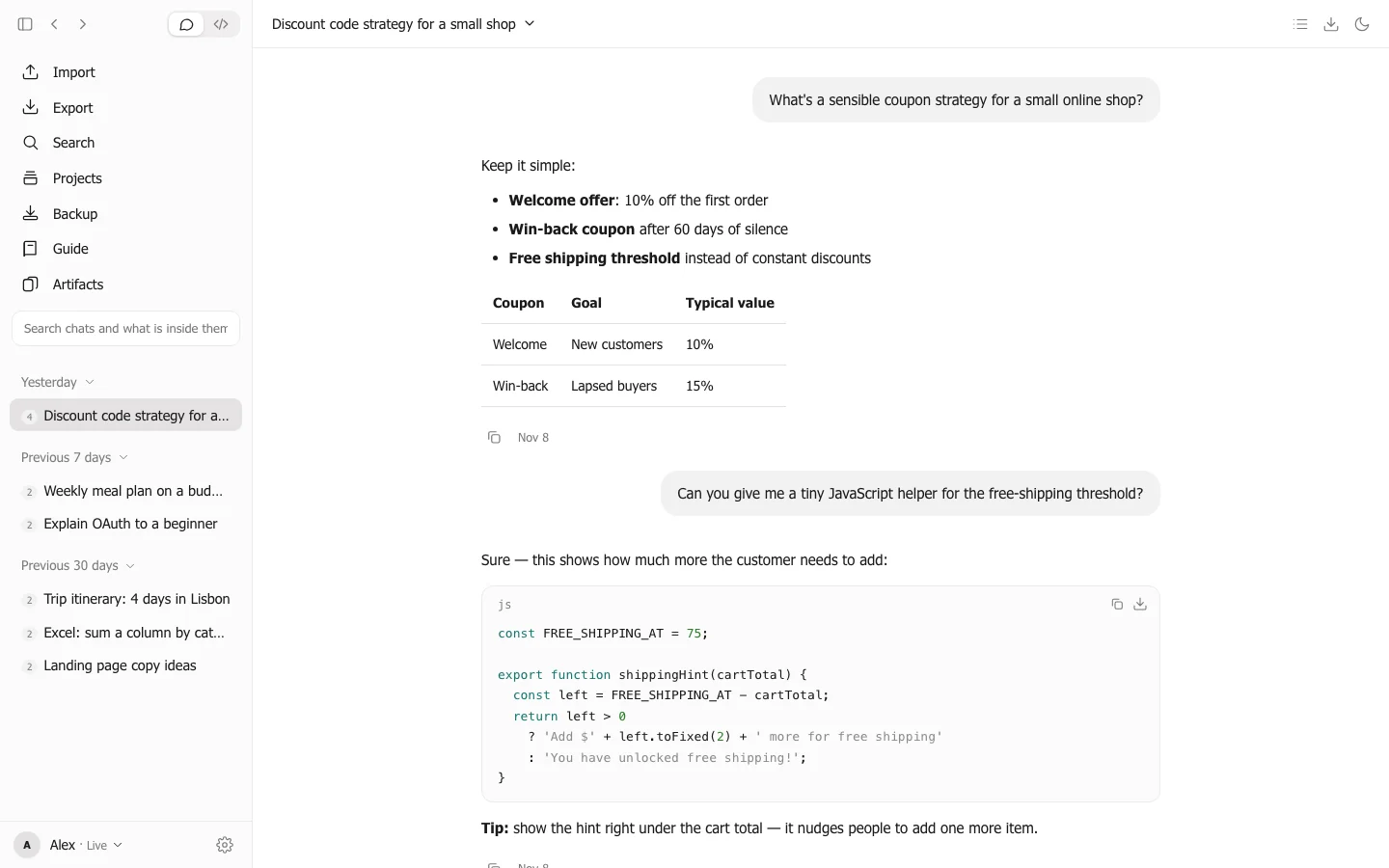
Search inside every conversation
Find that one answer from months ago. Chatkeep searches what you and Claude actually wrote — across all projects — and highlights every match. Works great in Persian and Arabic too.
One-click backup
Copies your Claude Code and Cowork chats — and their files — into a folder you choose. Nothing is ever deleted from your backup.
Bring your claude.ai chats
Drop in your Export Data — even the manifest with download links. Chatkeep downloads everything for you, with progress, and never imports a chat twice.
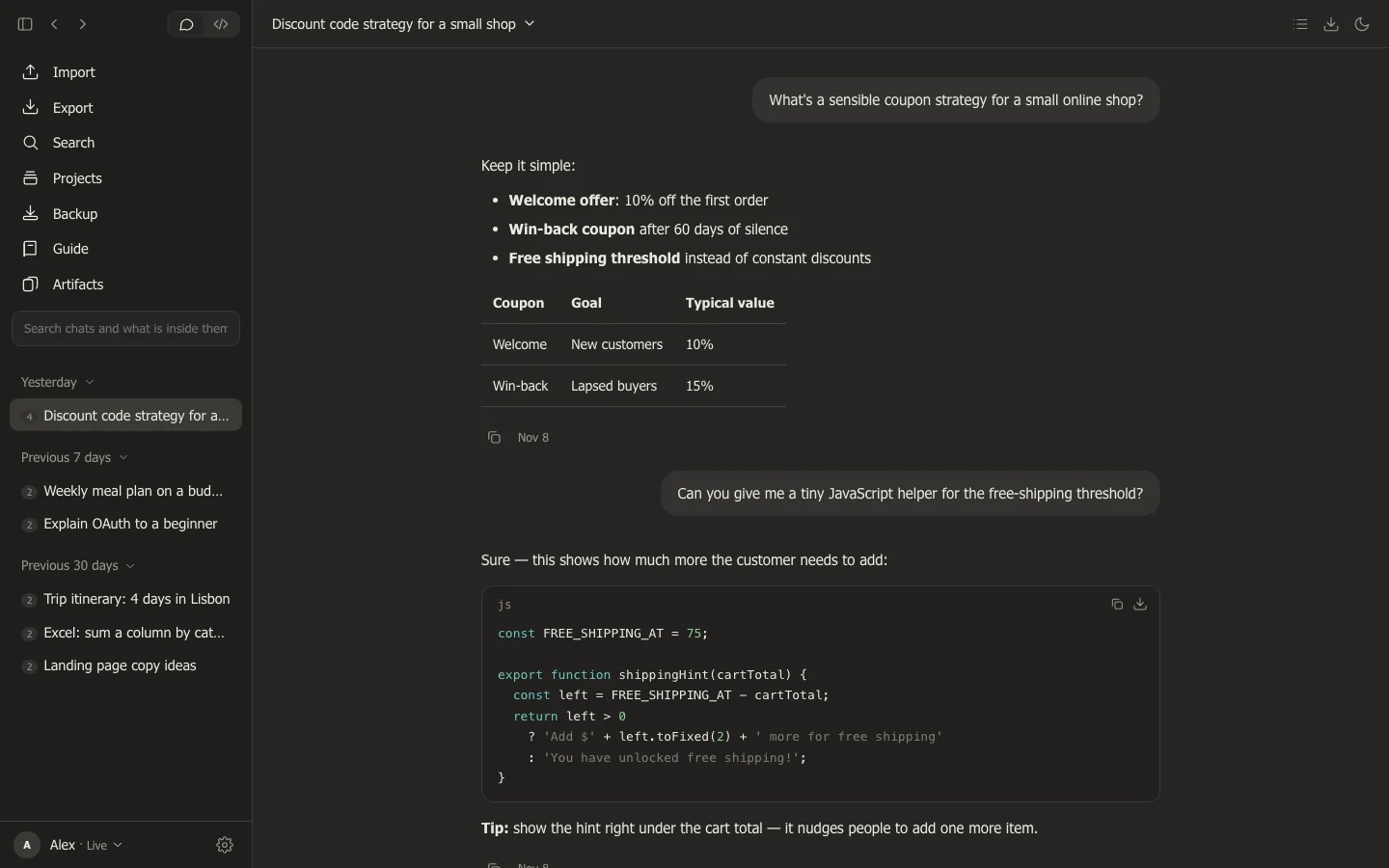
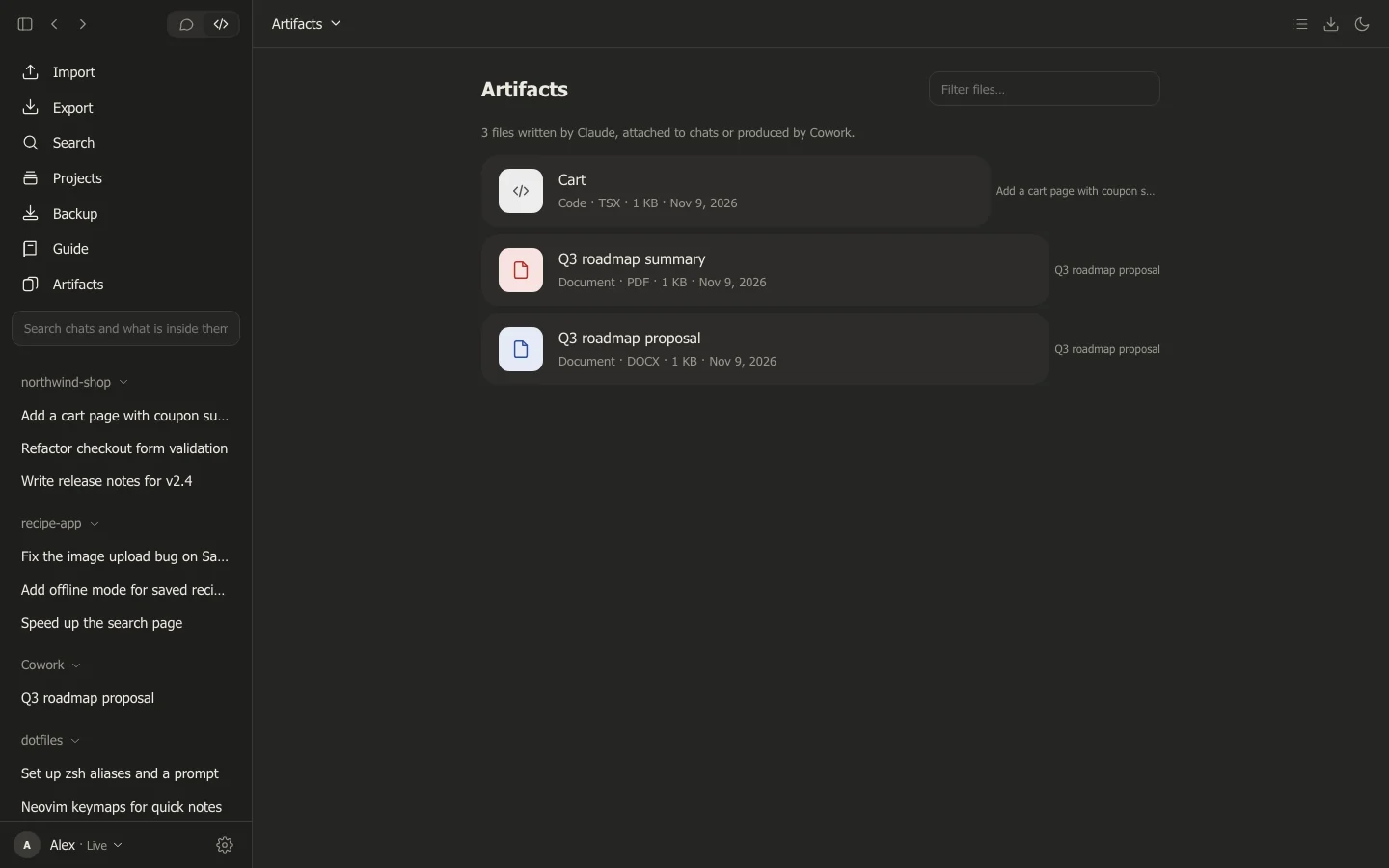
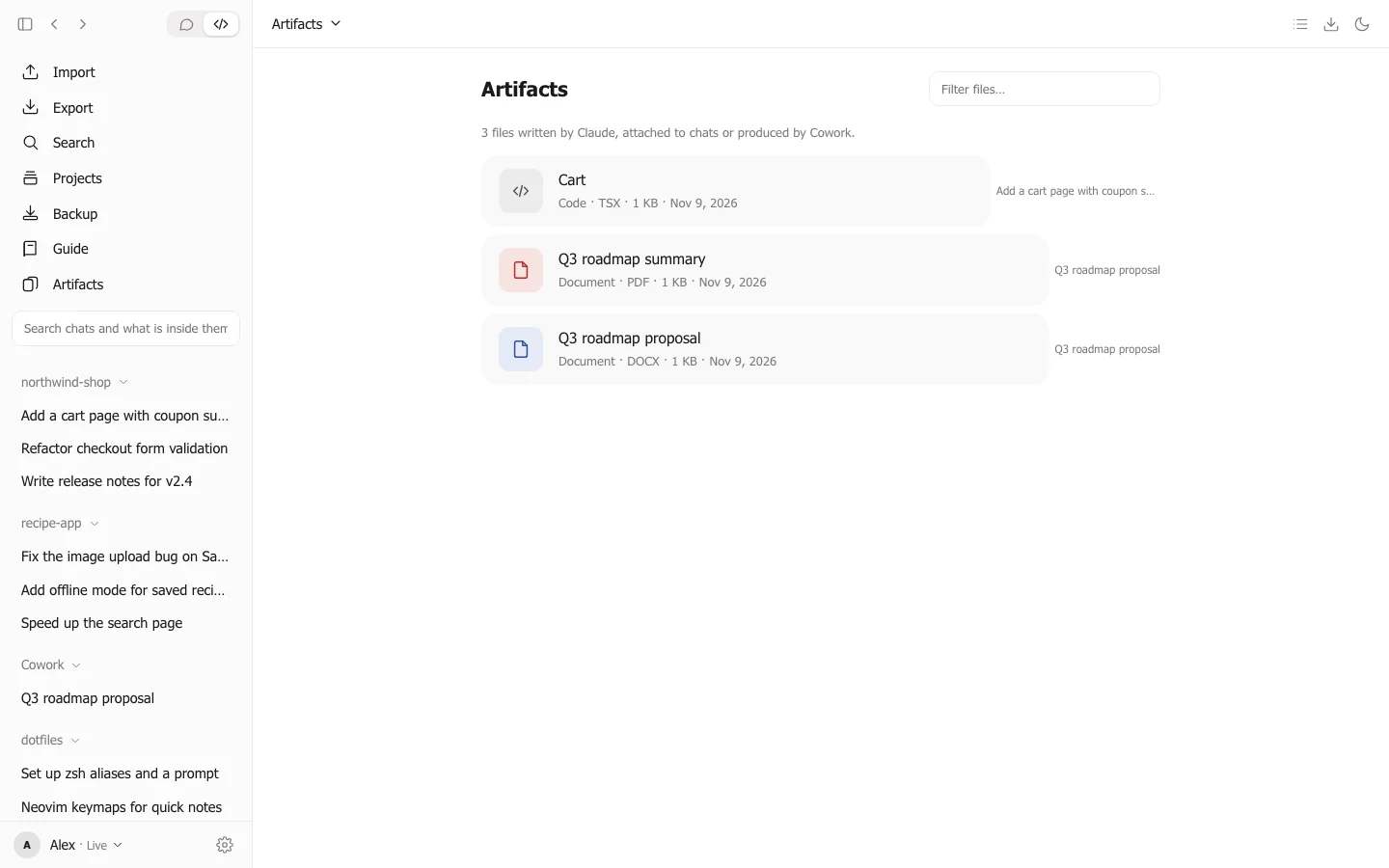
Every file Claude made
Documents, code and exports in one place — preview them, download them, or export a whole chat as Markdown, HTML or JSON.
Private by design
No account. No cloud. No tracking. Chatkeep runs entirely on your computer and works offline — your conversations never leave it.
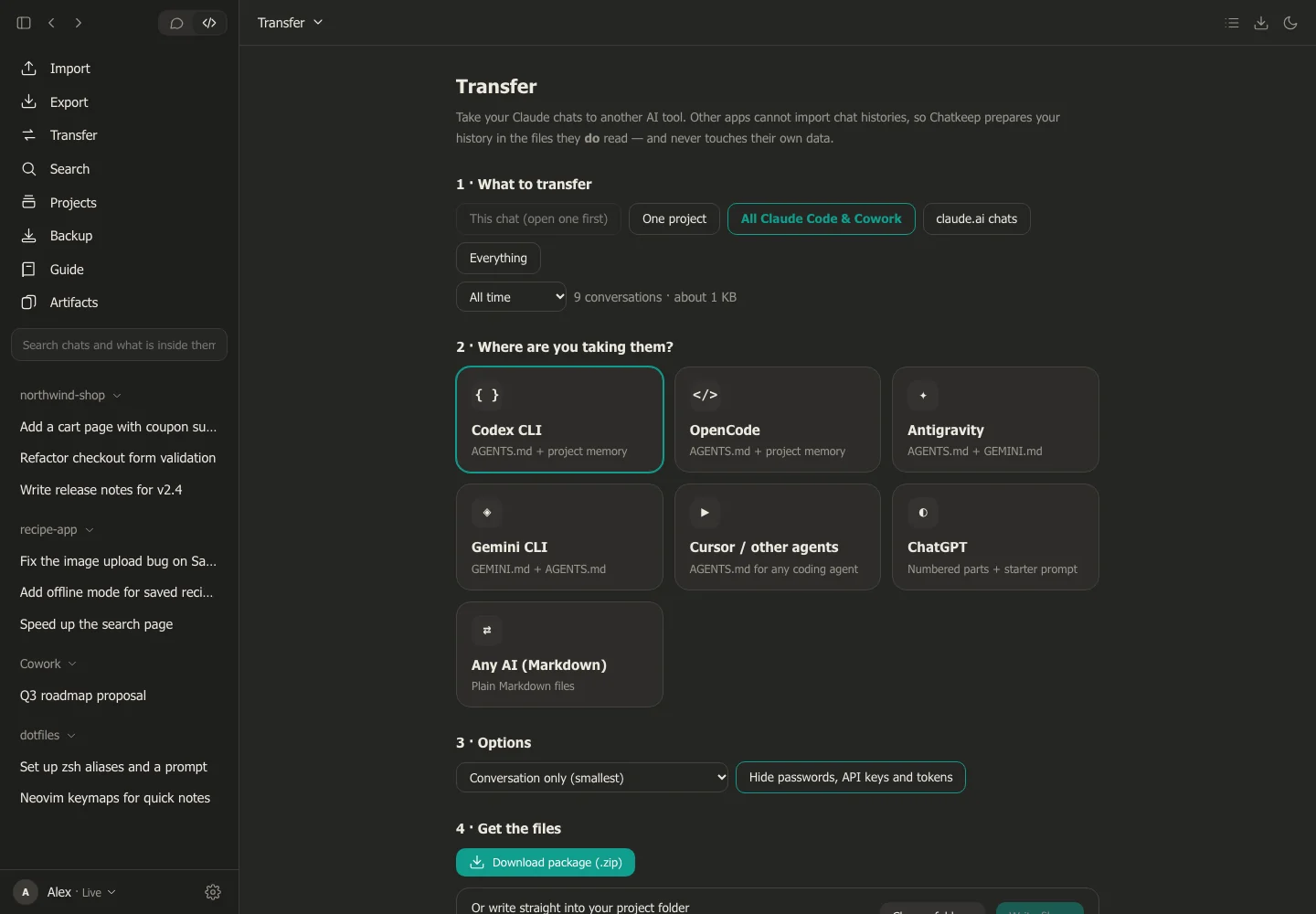
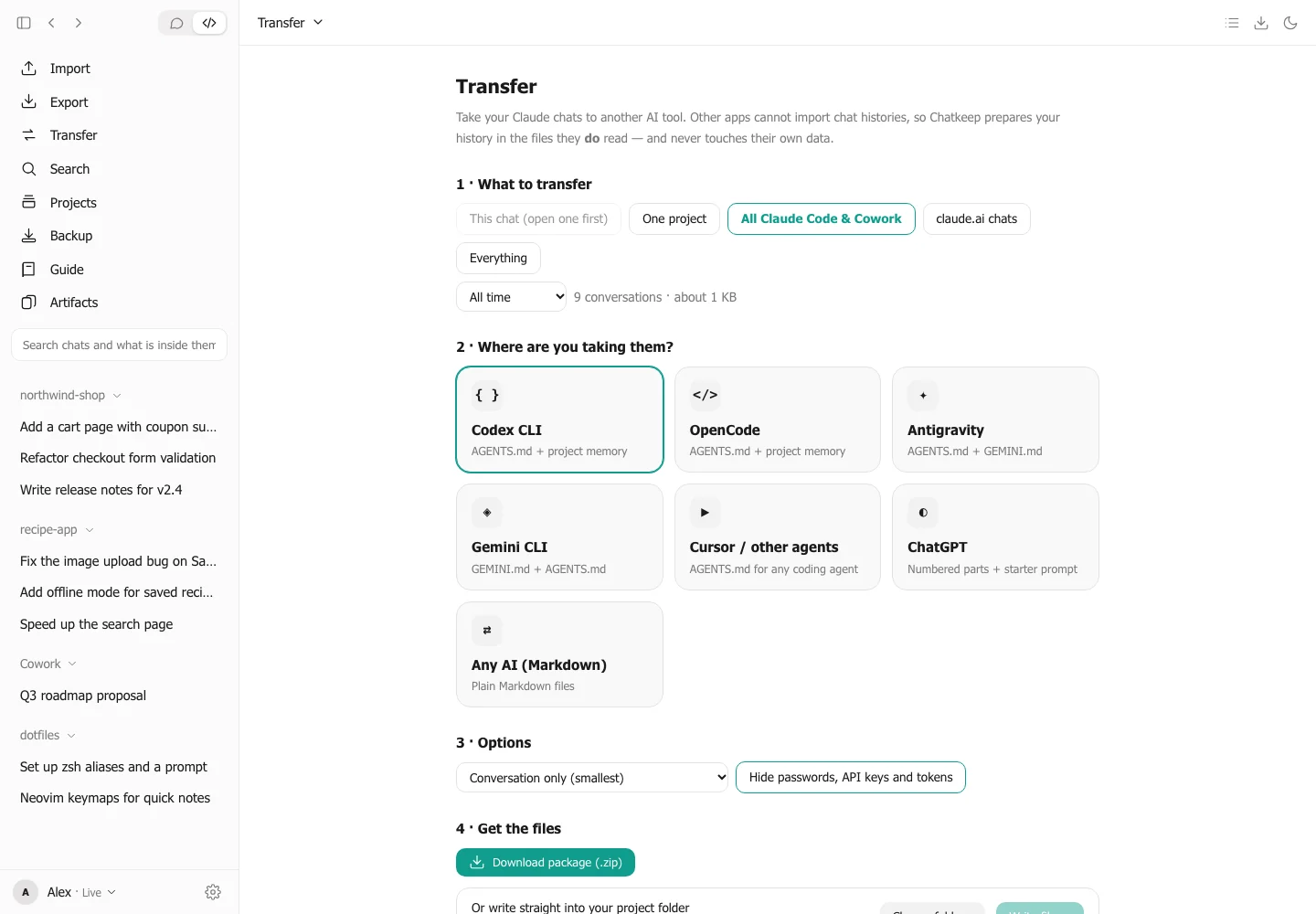
Switching AI tools? Take your chats with you.
Your history shouldn't be locked to one app. Pick your tools and click once: your Claude Code chats show up as real chats in Codex, OpenCode and Gemini CLI — and every other AI can read the rest.
 Antigravity
 Gemini CLI
Cursor
ChatGPT
Any AI
- 1Pick your toolsChatkeep finds Codex, OpenCode, Gemini CLI and Antigravity on your computer.
- 2Click onceYour chats are loaded as real chats you can open from each tool's own list. Antigravity and others get a note that points to all your history.
- 3Stay in controlYour own settings are never overwritten, passwords and API keys are hidden, and one click removes it all.
Chats go in through each tool's own import or session files, never by editing its database. For ChatGPT and other apps without an import, Chatkeep prepares a package you add by hand.
Free. For everyone.
No trial. No subscription. No account. Download it, use it, keep your chats.
macOS
Windows
Linux
All downloads are served by GitHub · All releases & SHA-256 checksums
Is Chatkeep really free?
Yes. Completely — no trial, no subscription, no ads and no account. You can use it as much as you like.
Is my data private?
Your chats stay on your computer. Chatkeep has no servers, no analytics and no cloud. The only network access is downloading the files from your own claude.ai export e-mail, when you ask it to.
What does it work with?
Claude Code, Cowork and the Claude desktop app are read straight from your computer. claude.ai chats come in through Settings → Privacy → Export data, which Chatkeep imports for you.